The Announcements section in your client area provides important updates from your hosting provider, such as scheduled maintenance, pricing changes, and new services. This section helps you stay informed about any events that might impact your services. Here’s a guide to understanding and navigating the Announcements section:
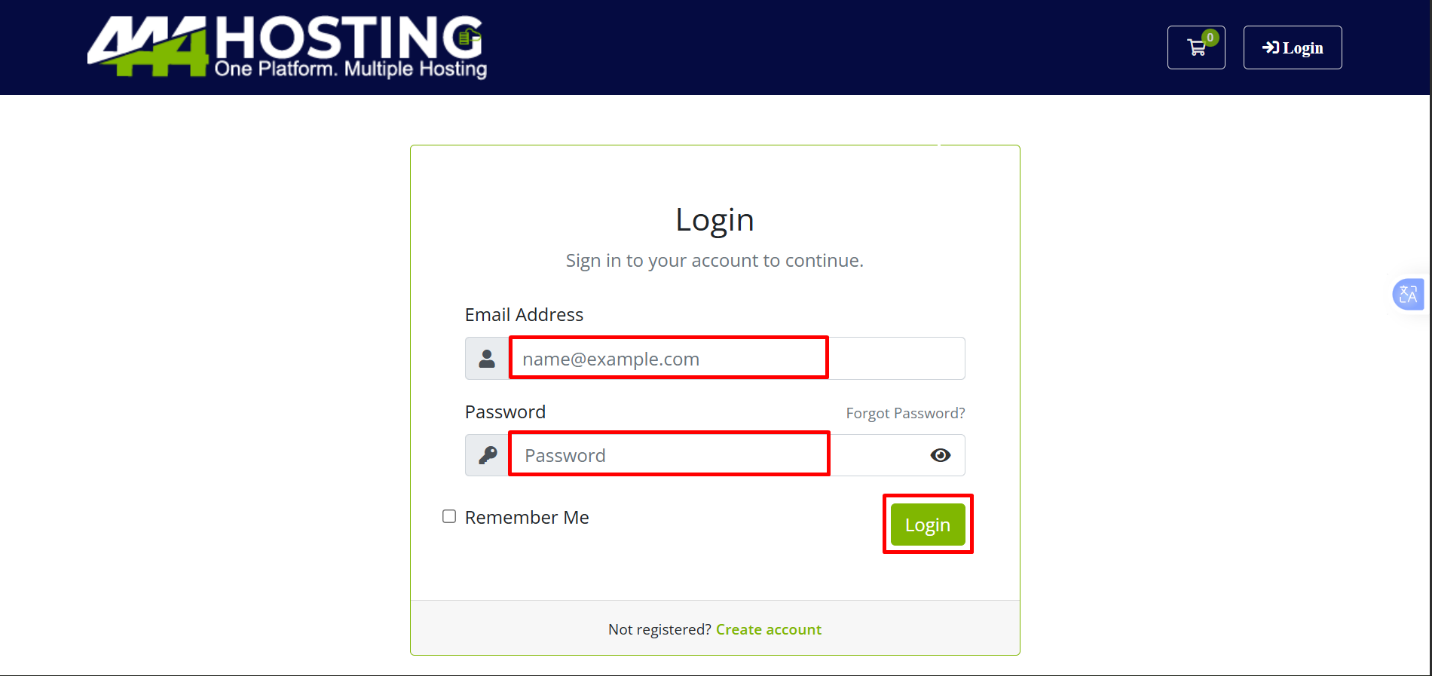
Step 1: Log in to Your Client Area
- Open your web browser and go to the 444 hosting Client Area.
- Enter your username and password, then click “Login”
Step 2: Access the Announcements Section.
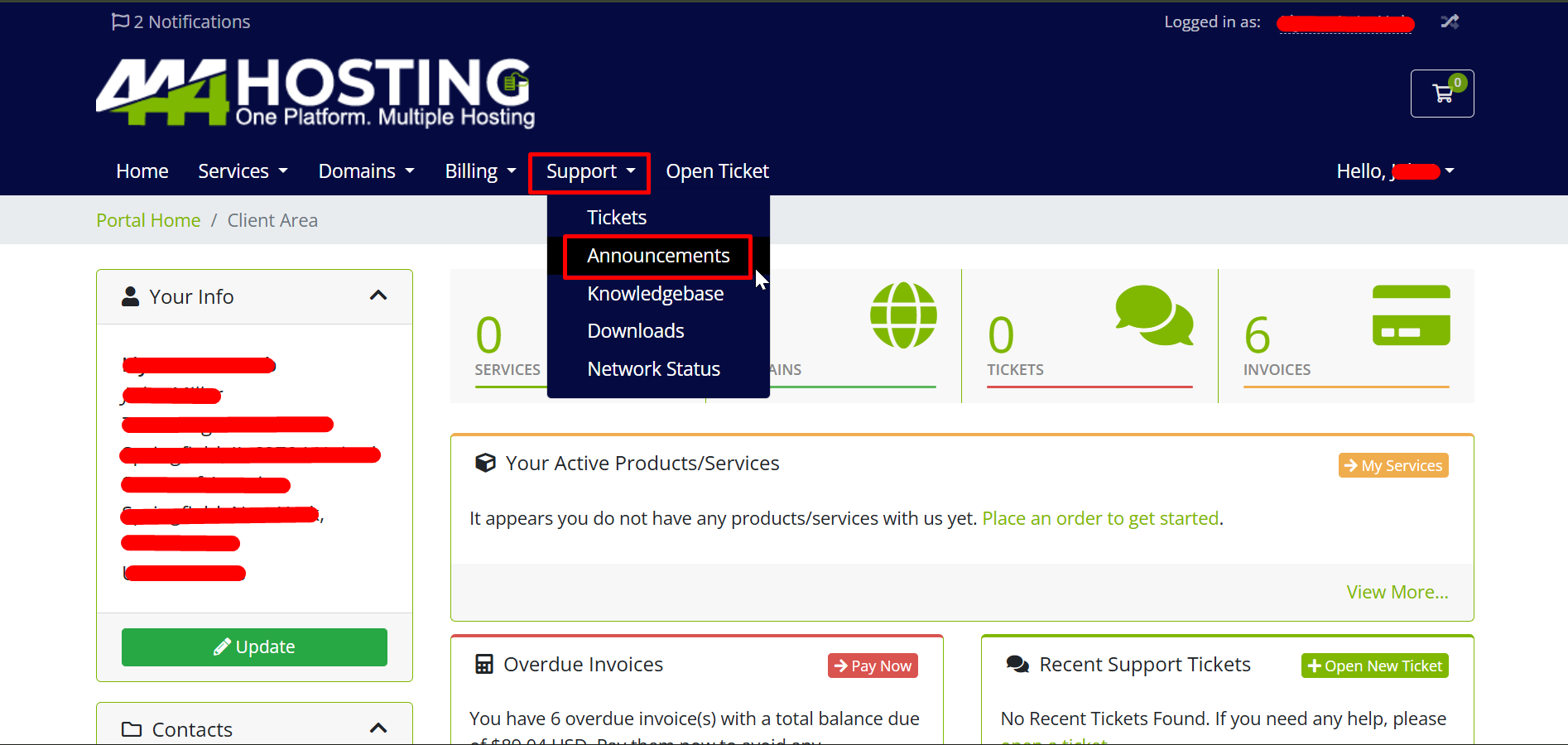
1. Once logged in, navigate to the “Support” section from the main menu.
2. Click on “Announcements” to view all the latest updates from your hosting provider.
Step 3: Understanding Announcements
- Purpose: The Announcements section serves as a central place for updates, keeping you informed about important events such as:
- Maintenance Notifications: Information about upcoming or ongoing maintenance work that may affect your services.
- Service Updates: Updates about new services, improvements, or feature releases.
- Price Changes: Notifications regarding any pricing changes for services or products.
- Policy Changes: Announcements regarding changes in terms, conditions, or service policies.
Step 4: Reading and Navigating Announcements.
- List of Announcements: When you open the Announcements section, you’ll see a list of recent announcements, each with a title, date, and a brief description.
- Viewing Details: Click on the title of an announcement to read the full details. This will provide you with all the relevant information regarding that update.
Step 5: Staying Updated
- Regular Checks: Regularly check the Announcements section to stay informed about any changes or events that might affect your services.
- Important Dates: Pay attention to any specific dates mentioned in announcements, such as maintenance schedules or effective dates for price changes.
Step 6: Navigating Between Announcements
- You can navigate through older or more recent announcements by using the Previous and Next buttons at the bottom of the page.
- You can also jump directly to specific pages if there are multiple pages of announcements.
The Announcements section is an essential resource for staying updated on important events that may impact your services. Regularly reviewing these updates will help you stay ahead of any potential disruptions or changes to your hosting environment.