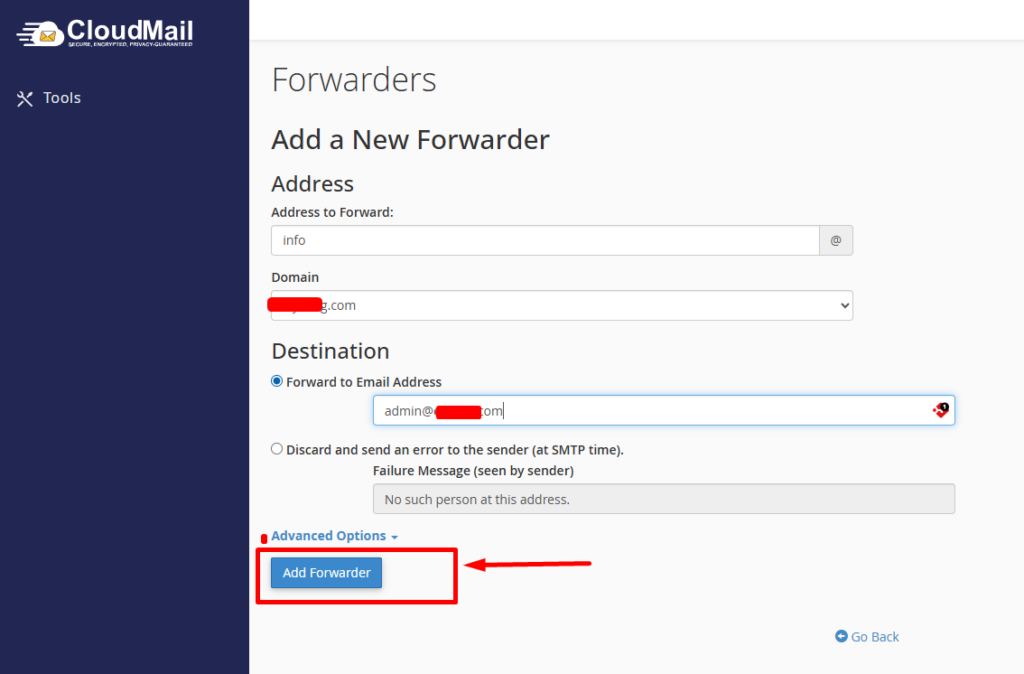
Step 1: Log in to cloudmail panel.
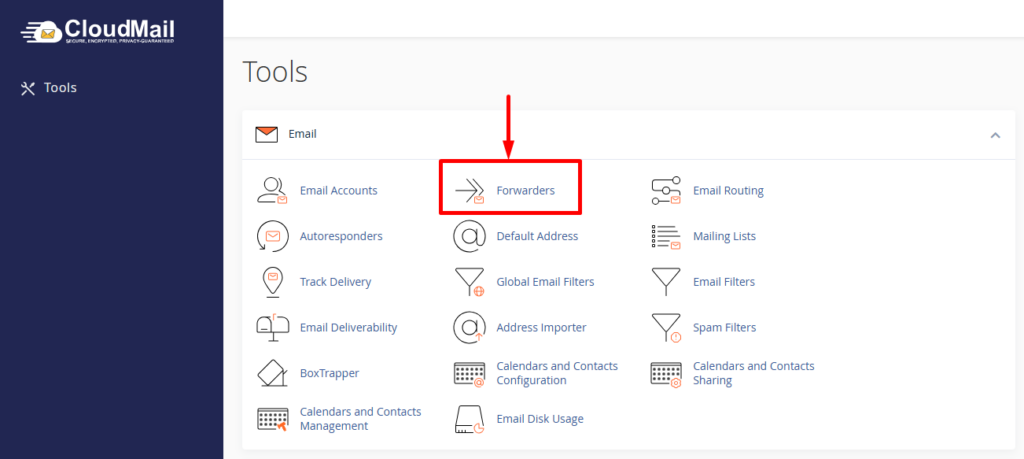
Step 2: In the cPanel dashboard, find the Email section, Click on Forwarders.
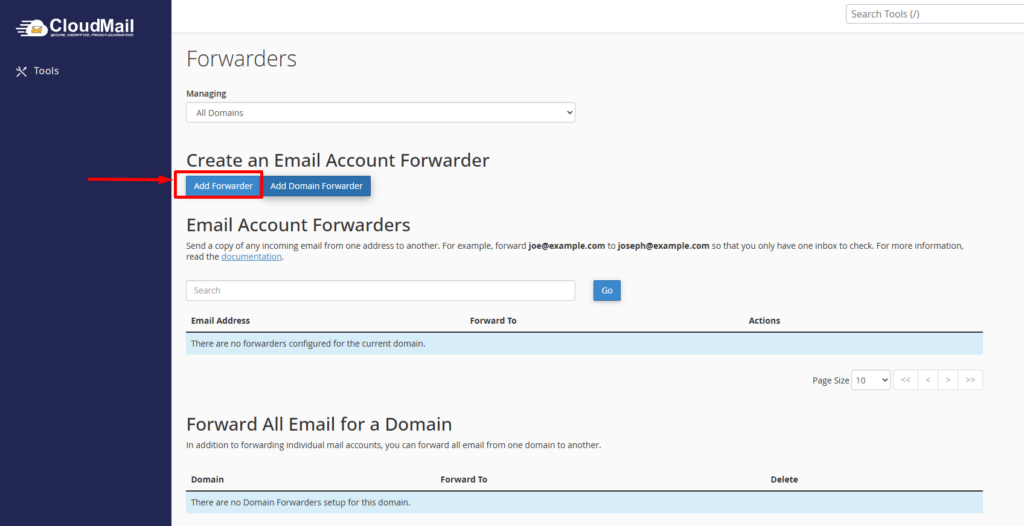
Step 3: Click the Add Forwarder button
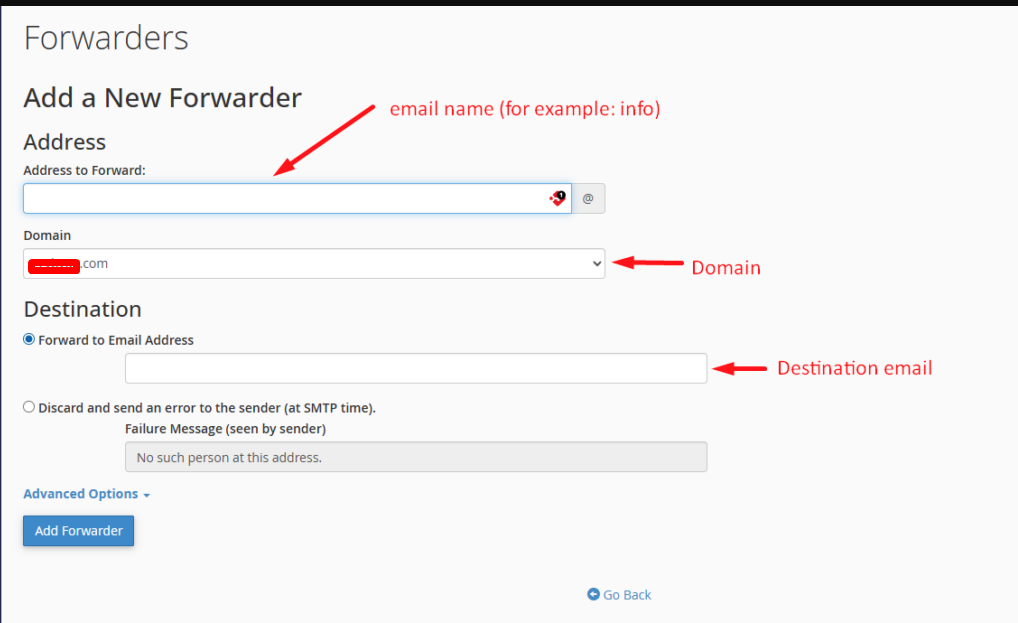
Step 4: Enter Forwarding Details
You’ll see a form. Fill it like this:
Address to Forward
- Enter the email name (for example: info)
- Select the domain (for example: <yourdomain>)
Destination
Choose where emails should go:
- Forward to Email Address → enter destination email (ex: yourname@gmail . com)
Step 4: Click Add Forwarder