To download a backup file from a backup storage within the Panel:
- First, you need to log in to your Plesk control panel.
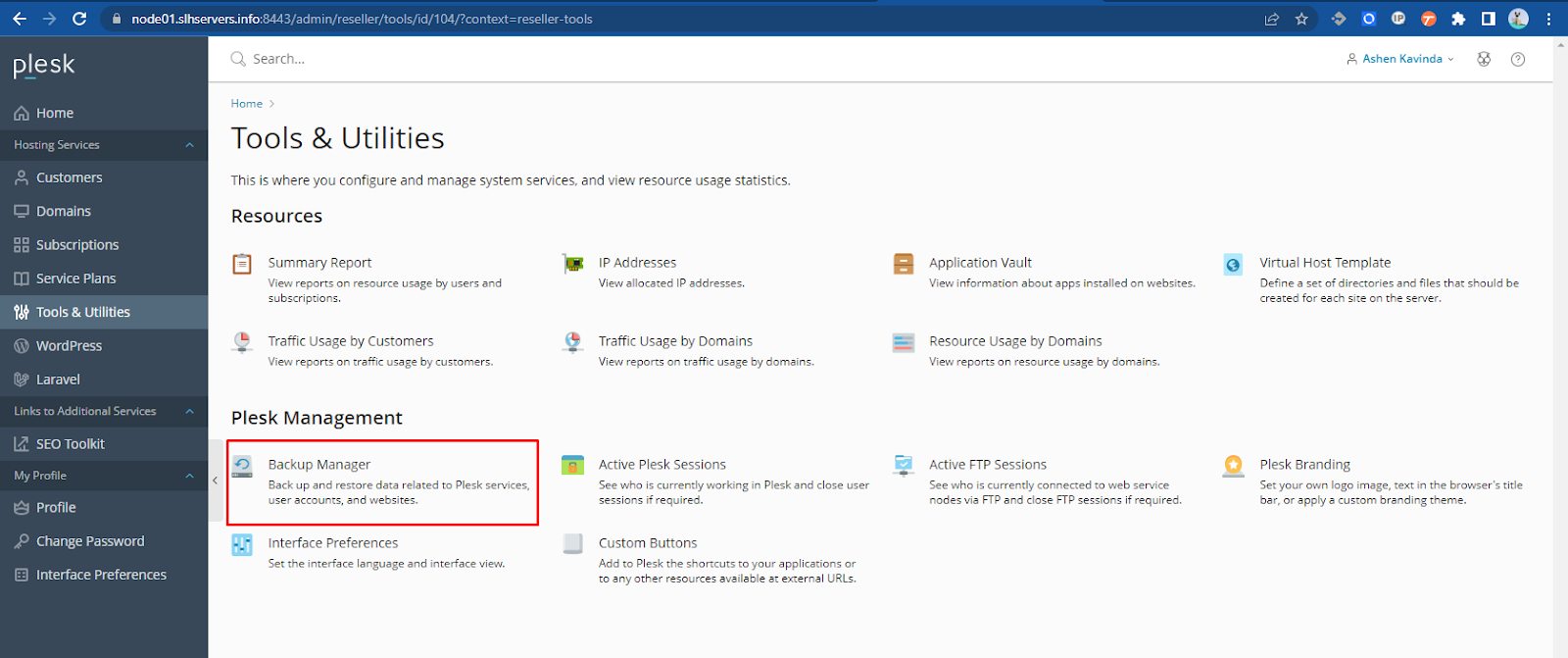
- Go to Tools & Utilities > Backup Manager.
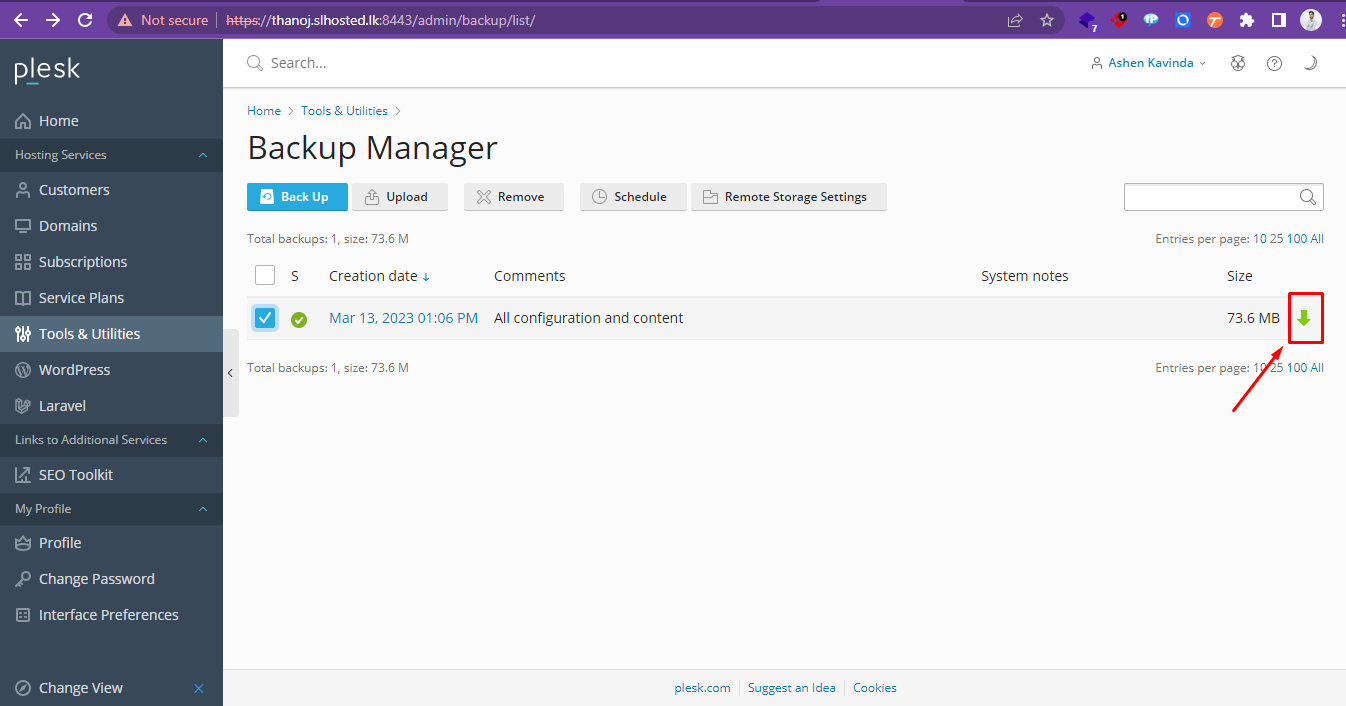
- Click the download icon corresponding to the backup file you want to download.
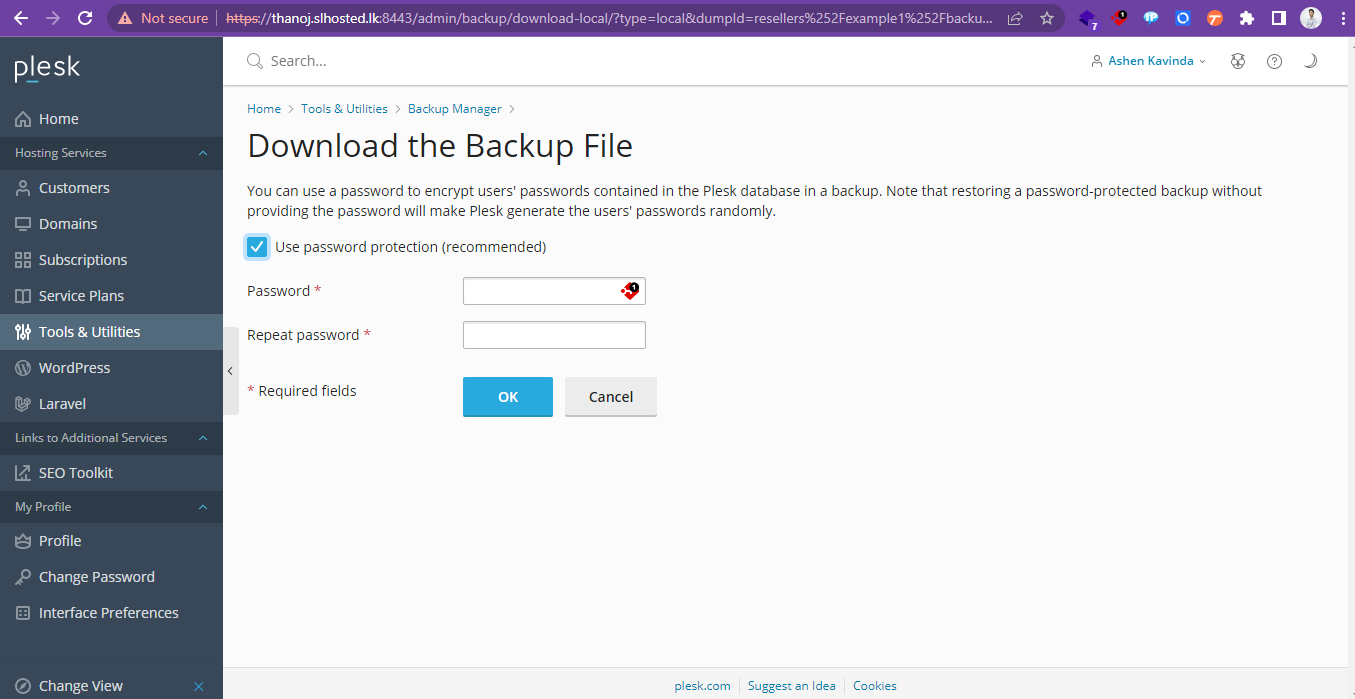
- Provide a new password for the backup and select ‘OK’.
The backup file will be downloaded from the backup storage.