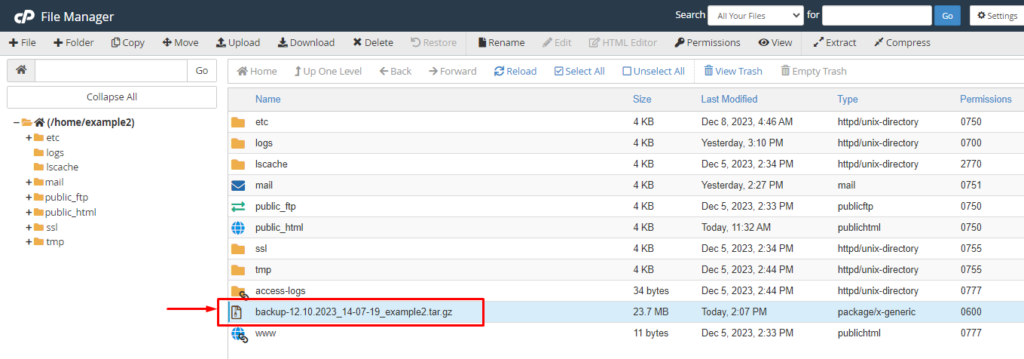
Backup
- Log into your cPanel
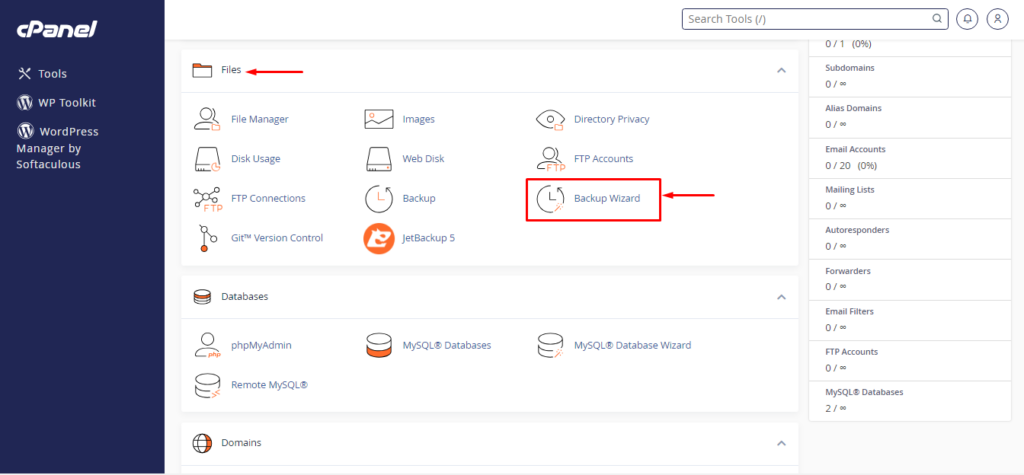
- Locate Backup wizard under the files section
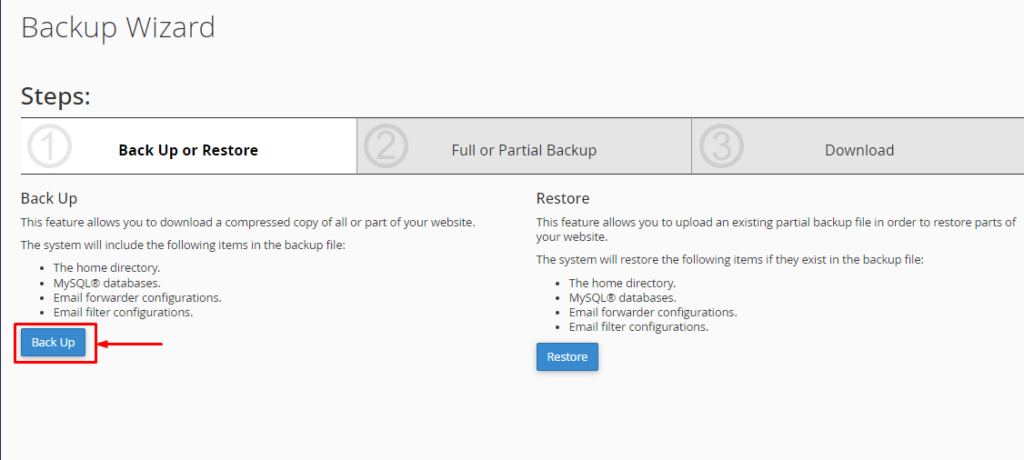
- Choose backup
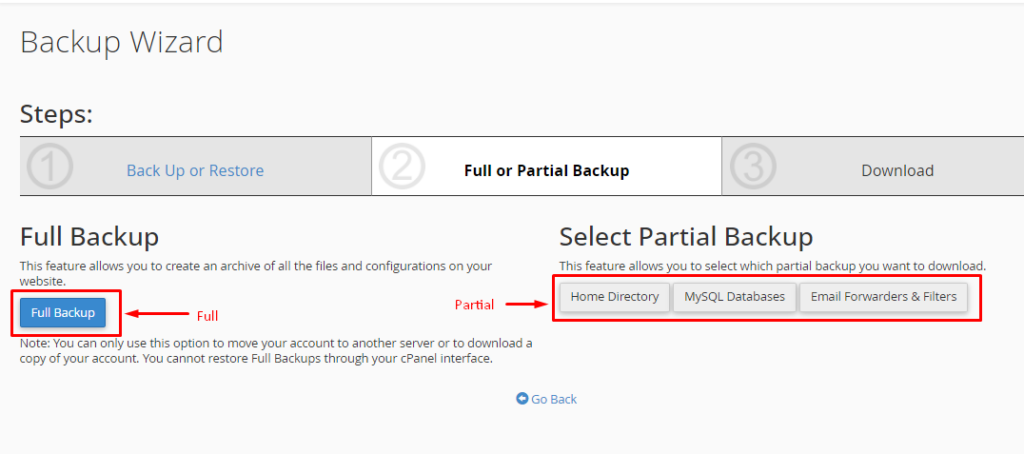
- Then choose your backup options
- Select your backup destination(Home Directory or FTP), your email address(if you want to get an email of backup completion), and click generate.
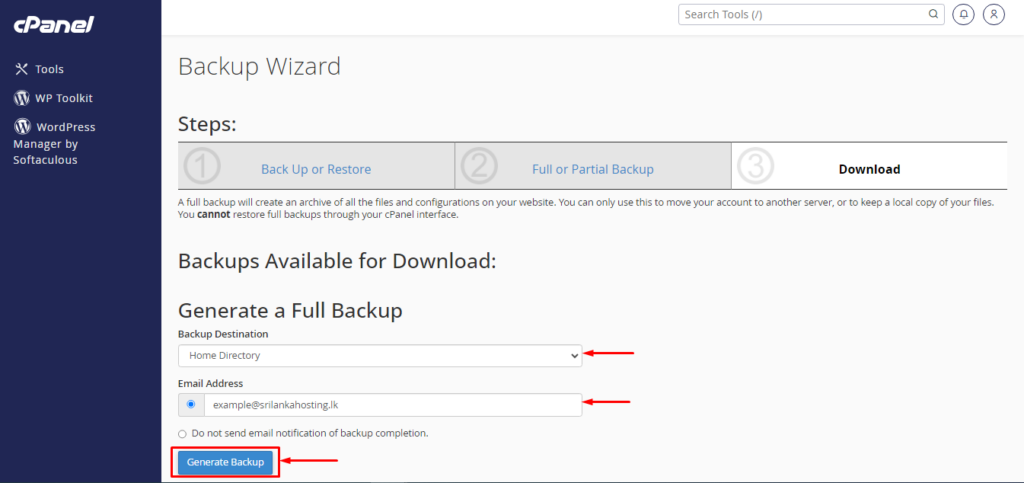
- This will get a few moments and create a backup file inside your file manager.