- Login to cPanel
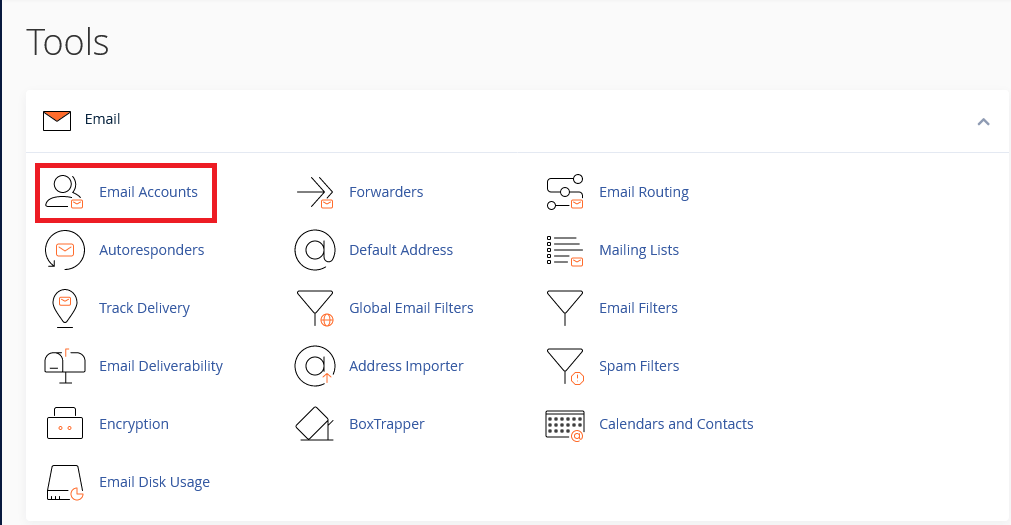
- Locate Email accounts
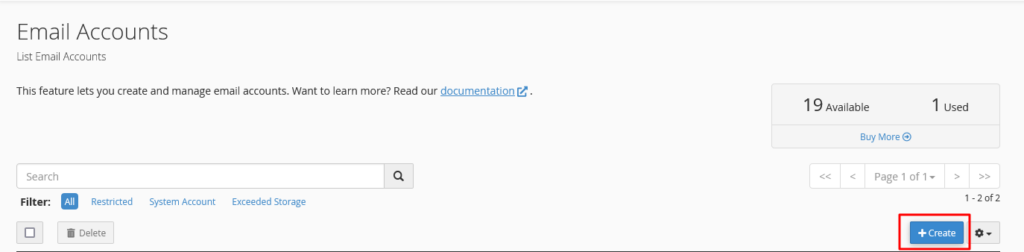
- Click Create button
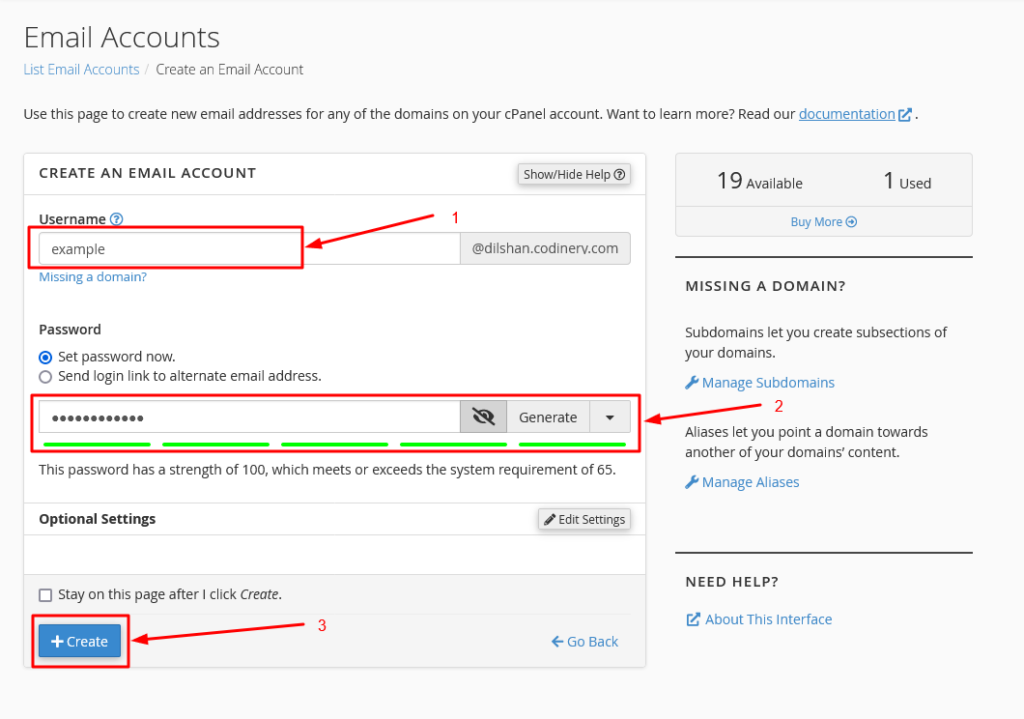
- Create an Email account
-
- Then type in the username you wish to use in the email in the Username section.
- Then in the Password section you will need to type or create the password you want.
-
-
- If you want to create a password from the system itself, you can create it by clicking on the Password Generate button.
-
3. after click Create button.
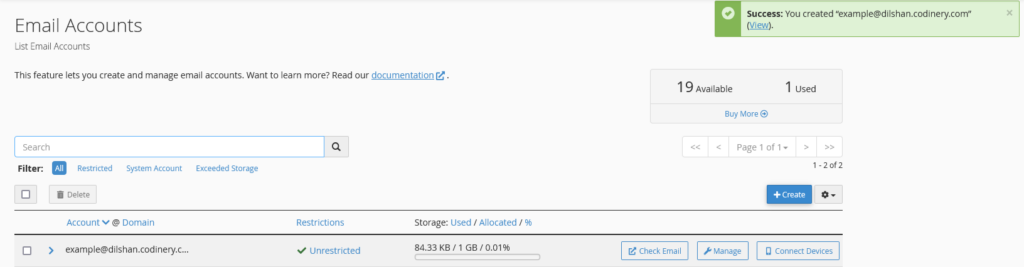
- Now successfully created email account in cPanel.