1. Login to Plesk Panel
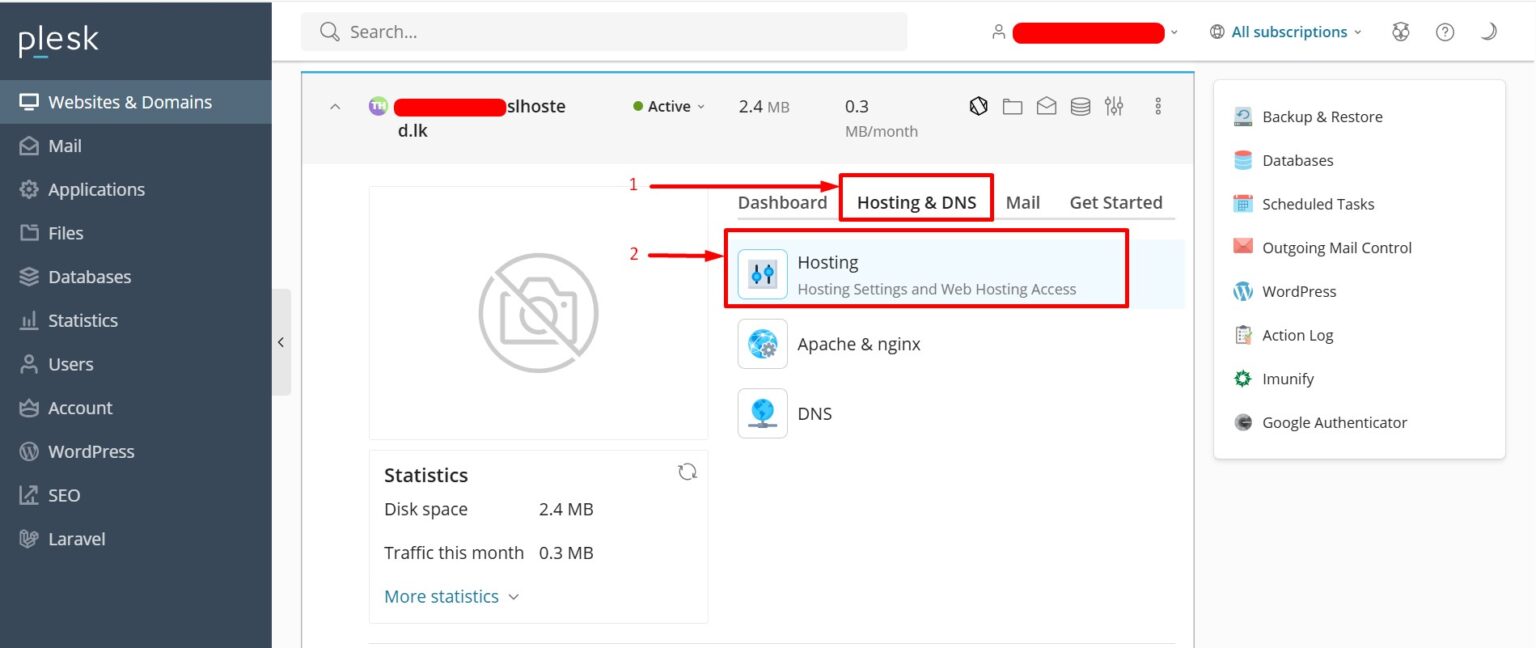
2. Click on the domain you want to forward.
3. Click on “Hosting & DNS” –> “Hosting”
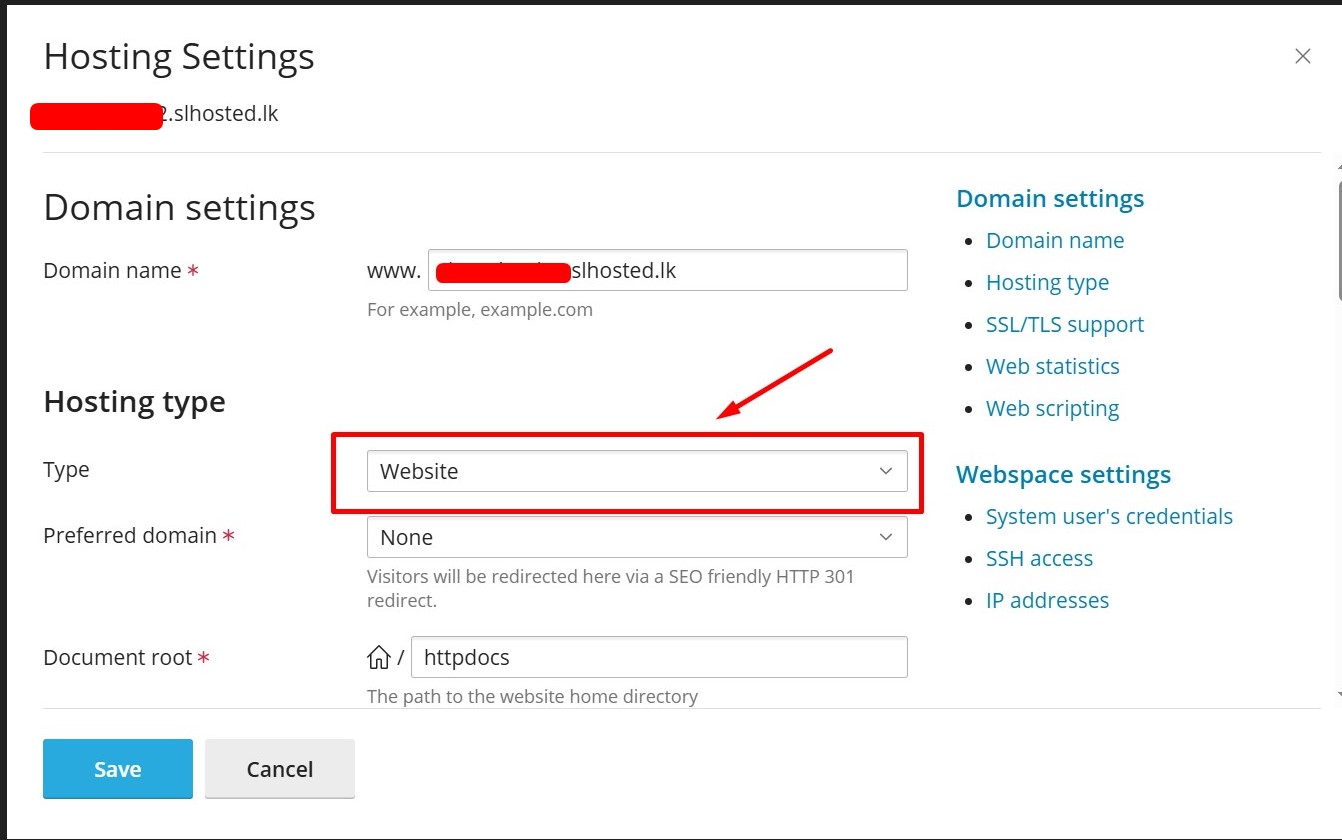
5. Change Hosting Type to “Forwarding”
In the “Hosting Type” section, change from Website Hosting to Forwarding.
6. Enter the Destination URL
In the Destination address field, enter the full URL you want the domain to forward to.
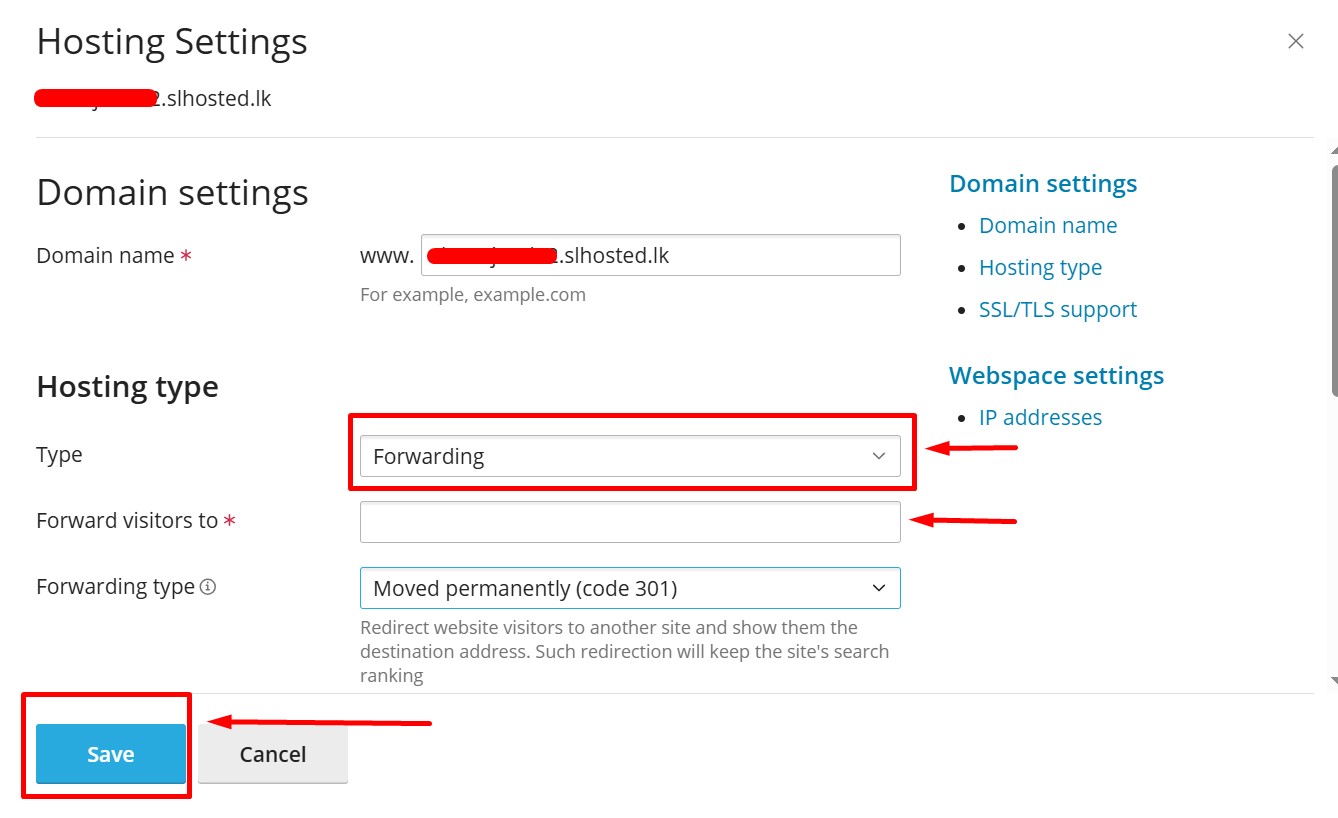
7. Choose the Forwarding Type
Standard (302) – Temporary redirect.
Permanent (301) – SEO-friendly permanent redirect (recommended).
8. Click “Save”