What is Two-Factor Authentication?
2FA means Two-Factor Authentication, which means additional security of your account. Once you turn on 2FA, every time you log in-along with entering your password-you’ll need to input a code from your phone or another device. That will make your account even more secure.
Why Should You Use Two-Factor Authentication?
In such a scenario, 2FA can save your account from being accessed by unauthorized individuals. Even if one manages to guess your password, they cannot access your account without the second verification code.
How to Configure Two-Factor Authentication:
1. Log in to your account at 444Hosting Client Area.
2. Click on your profile name (usually at the top-right corner).
3. Select Security Settings from the dropdown menu.
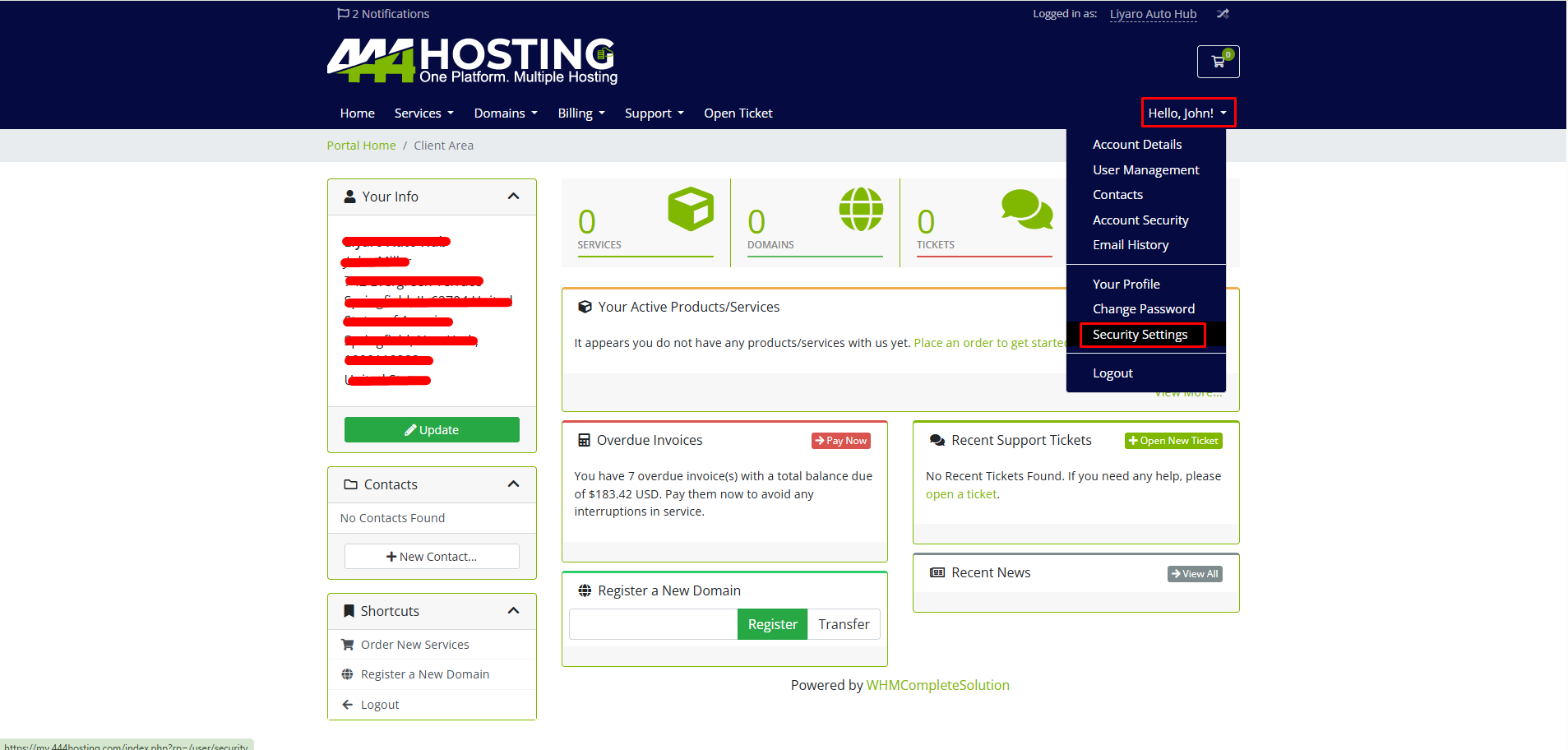
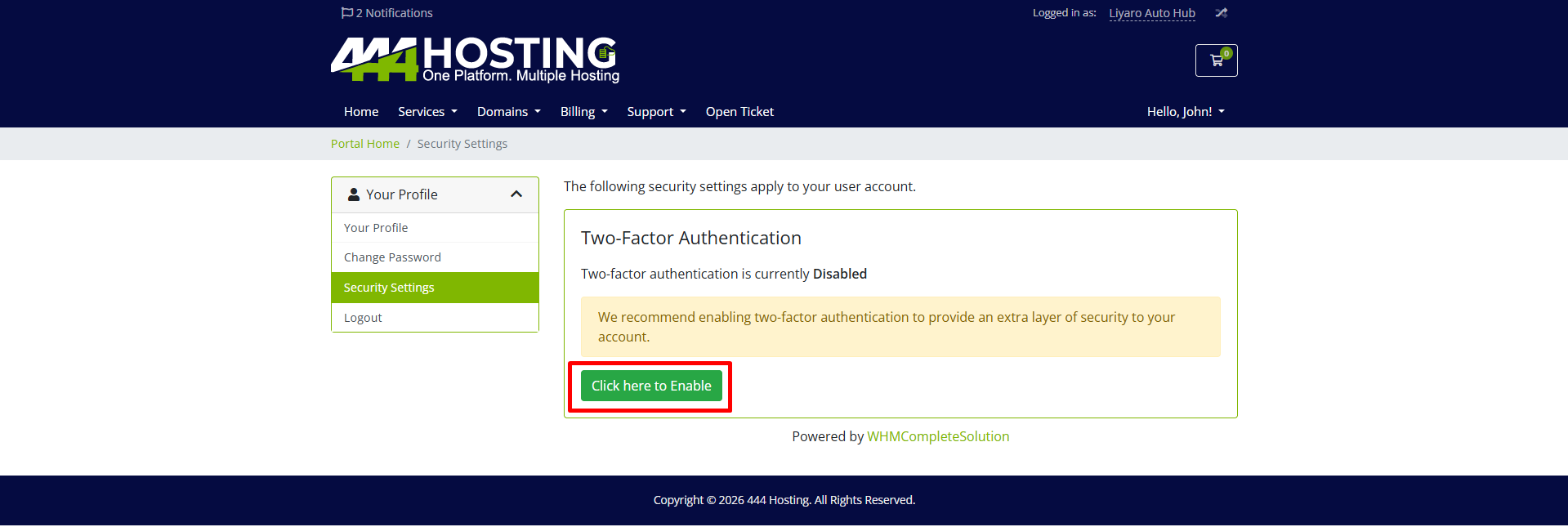
4. Look for the Two-Factor Authentication section.
5. Click Enable to start the setup process.
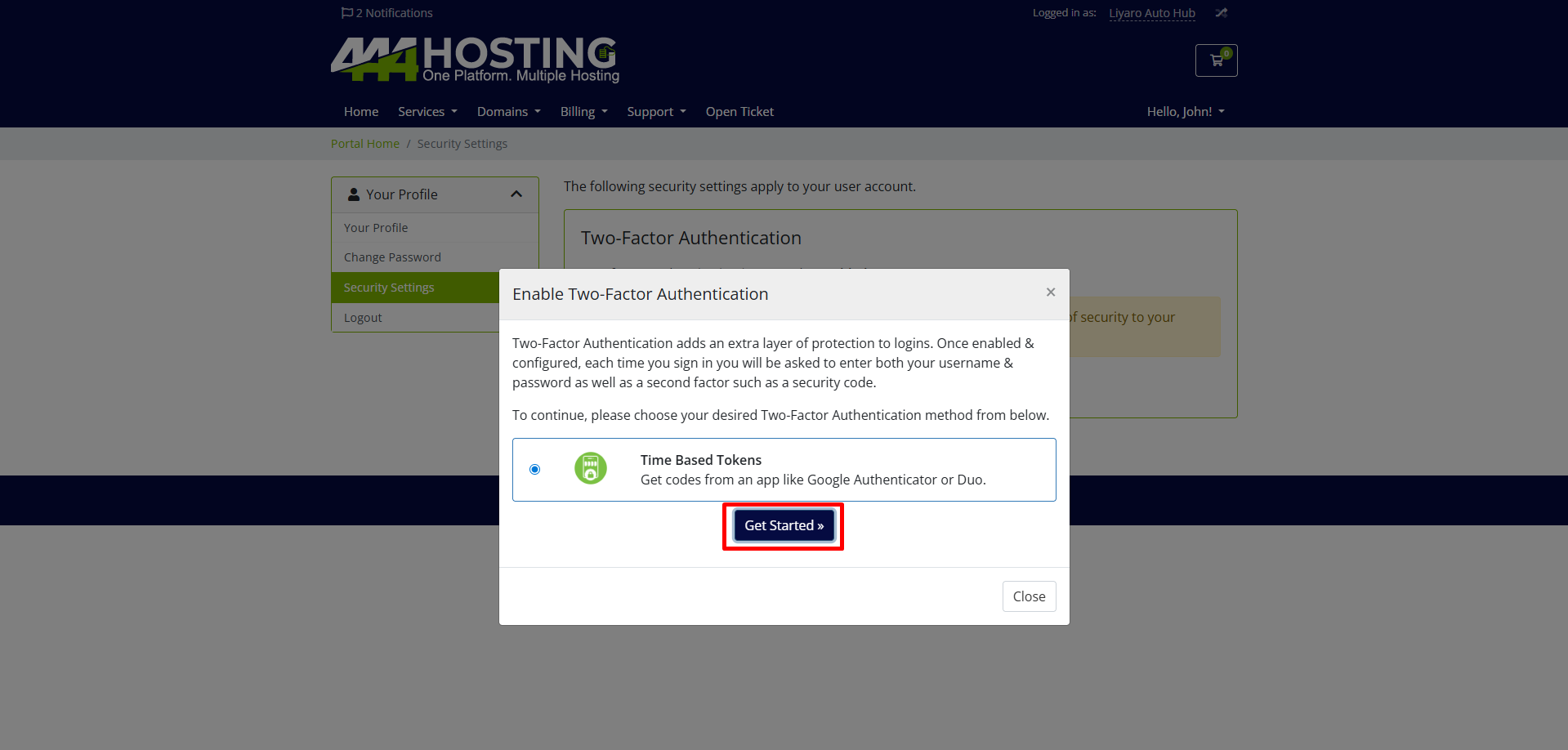
6. Click on “Get Started” under Time-Based Tokens to set up Two-Factor Authentication using an app like Google Authenticator or Duo
7. Scan the QR code using an authentication app like Google Authenticator or Duo.
If having trouble scanning the code, then enter the given code manually for your apps setup key section.
Now, Two-Factor Authentication Enabled – Your account now has extra security.
8. Save Your Backup Code – Keep this code safe, like in a password manager, to access your account if you can’t use two-factor authentication.
Now, every time you log in, you will need to enter a one-time code from your authentication app for extra security