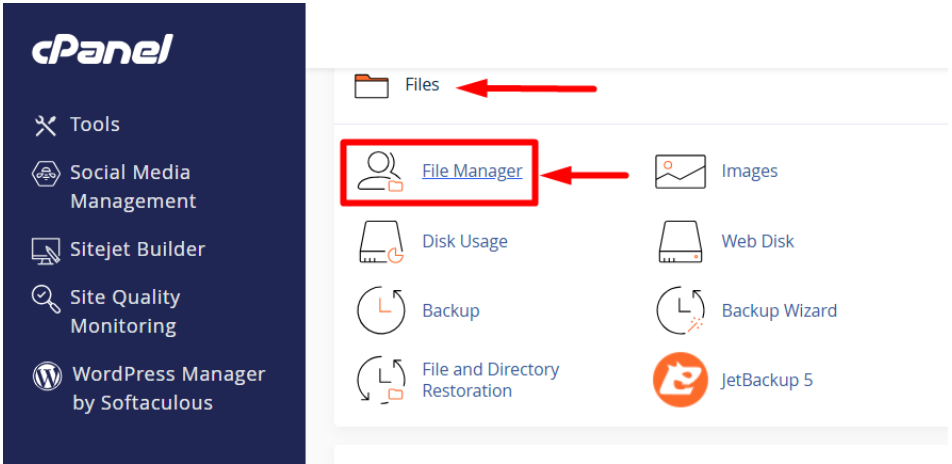
1. Go to File Manager
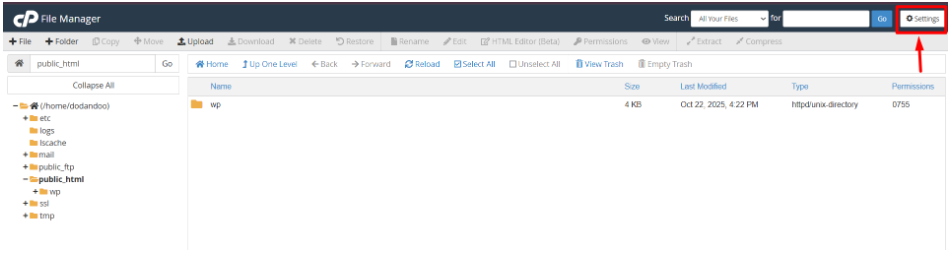
2. In the File Manager, click the “Settings” button at the top-right corner.
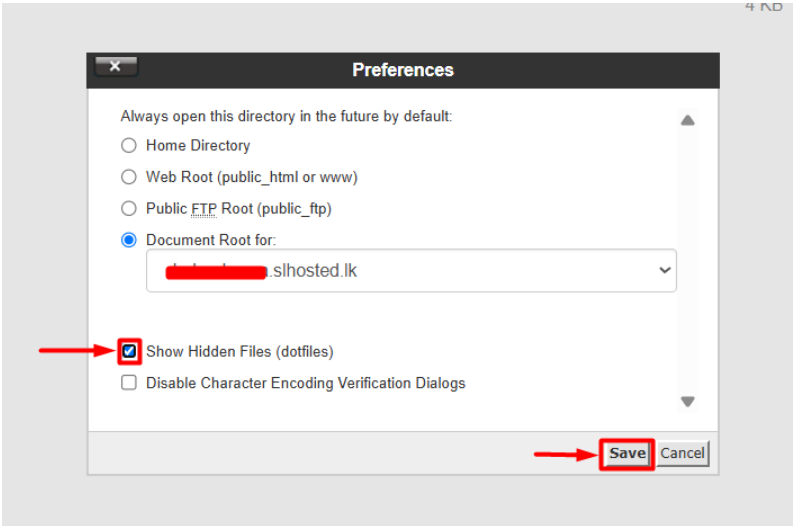
3. A pop-up will appear — check the box that says: (Show Hidden Files (dotfiles)
4. Click Save.
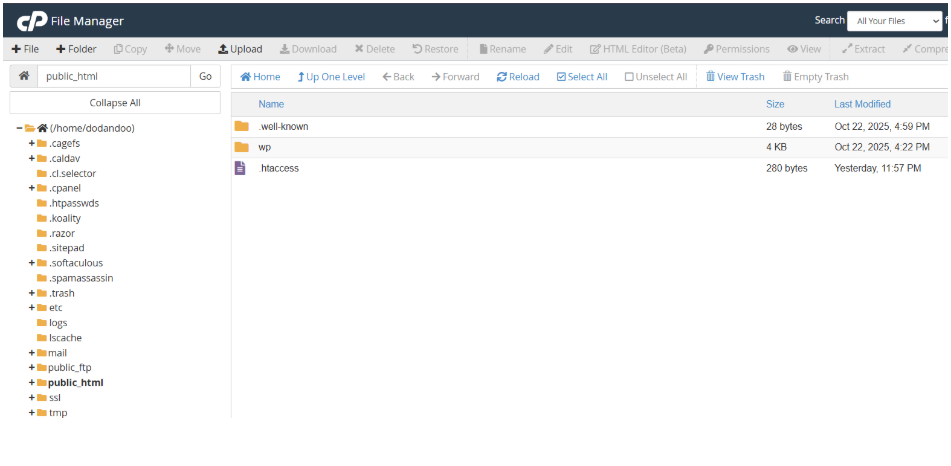
Now, you’ll see all hidden files like the .htaccess file, the .well-known file, etc..
change file permissions
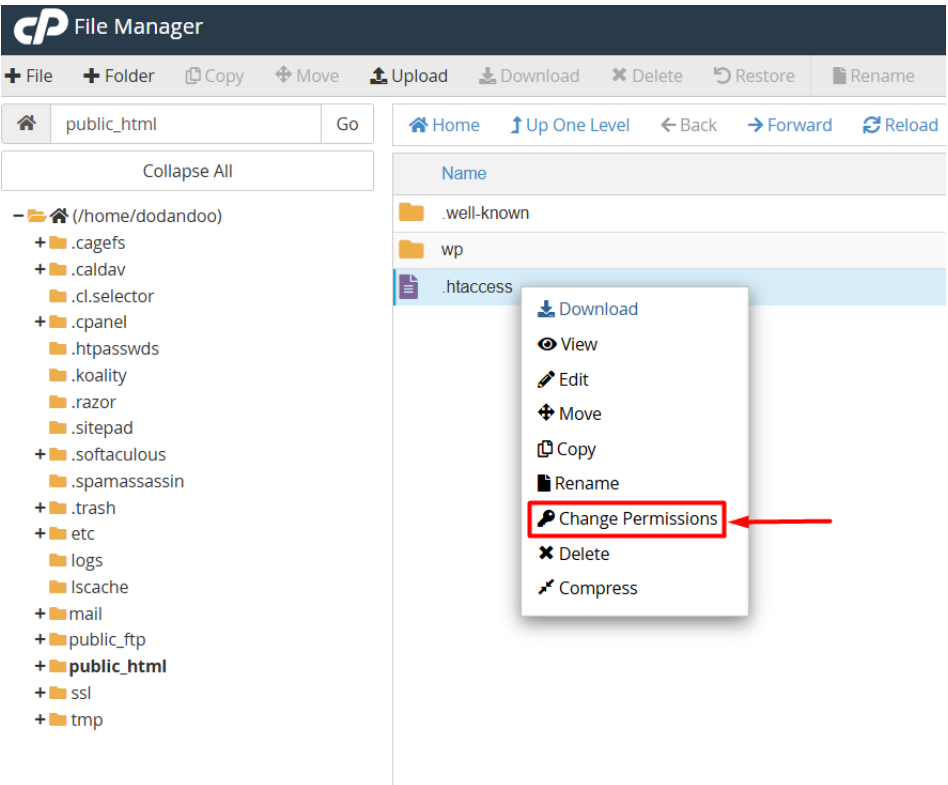
1. In File Manager, locate the file or folder you want to edit.
ex:- .htaccess file
2. Right-click on it → select Permissions.
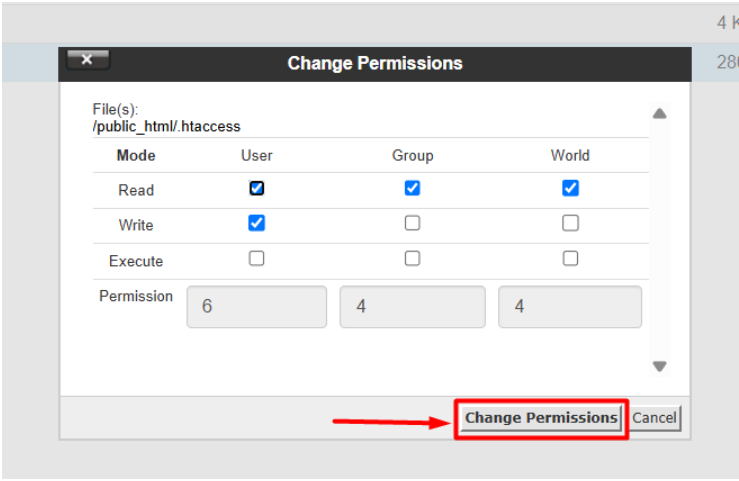
3. A pop-up will show numeric or checkbox-based permissions:
- Read (r) – Allows viewing
- Write (w) – Allows editing
- Execute (x) – Allows running (for folders, allows access inside)
4. Click the Change Permissions.
5. Procedure Done.