The Account Details section in the 444Hosting client area allows you to view and manage your personal information, including your name, email, phone number, and billing address. This section is essential for keeping your contact details up-to-date, ensuring smooth communication and efficient management of your hosting services.
Updating Your Personal Information
Keeping your personal information current is essential to ensure you receive important updates and communications.
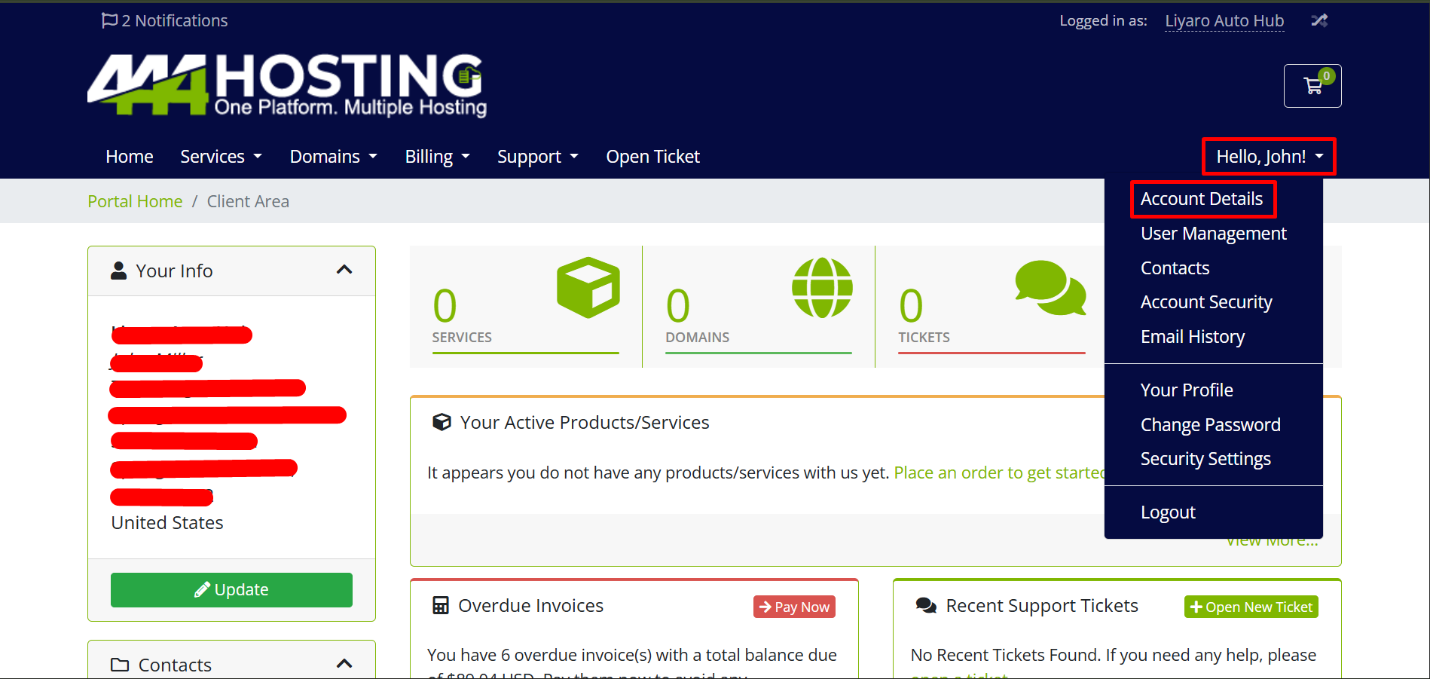
1. To update your details, Click on the Dropdown Menu.
2. After that move your mouse to the Account Details and click on it.
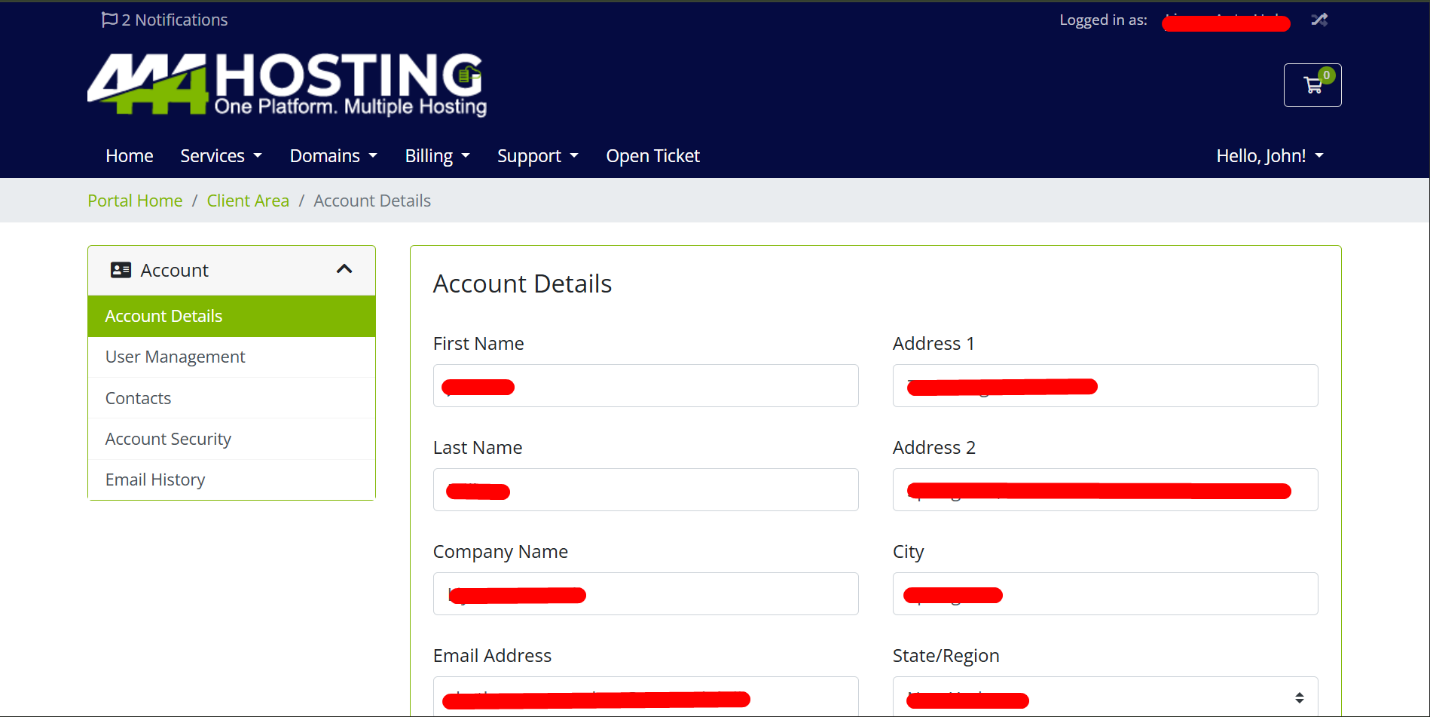
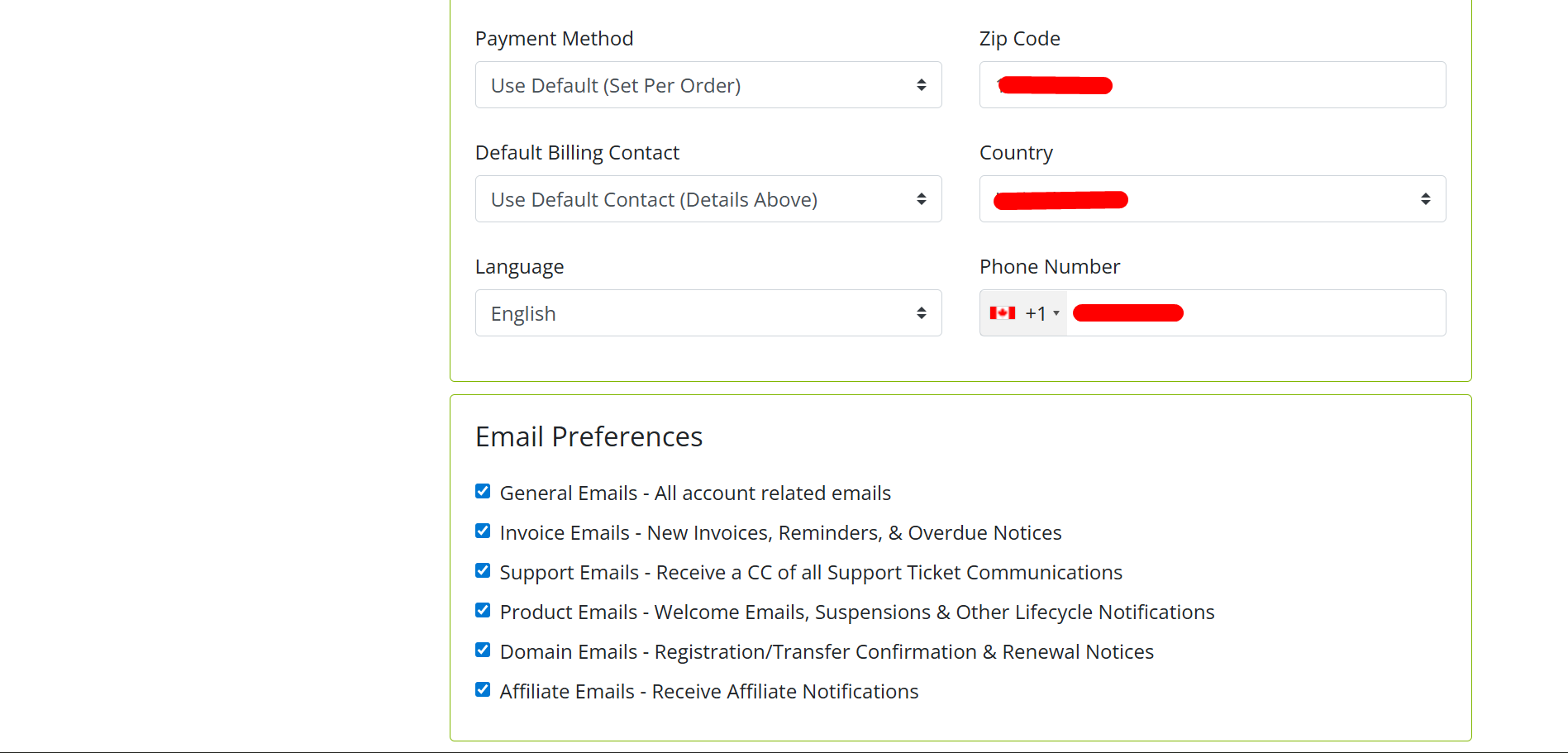
· On the Account Details Page, click on the relevant fields (e.g., name, address, phone number) and make the necessary changes.
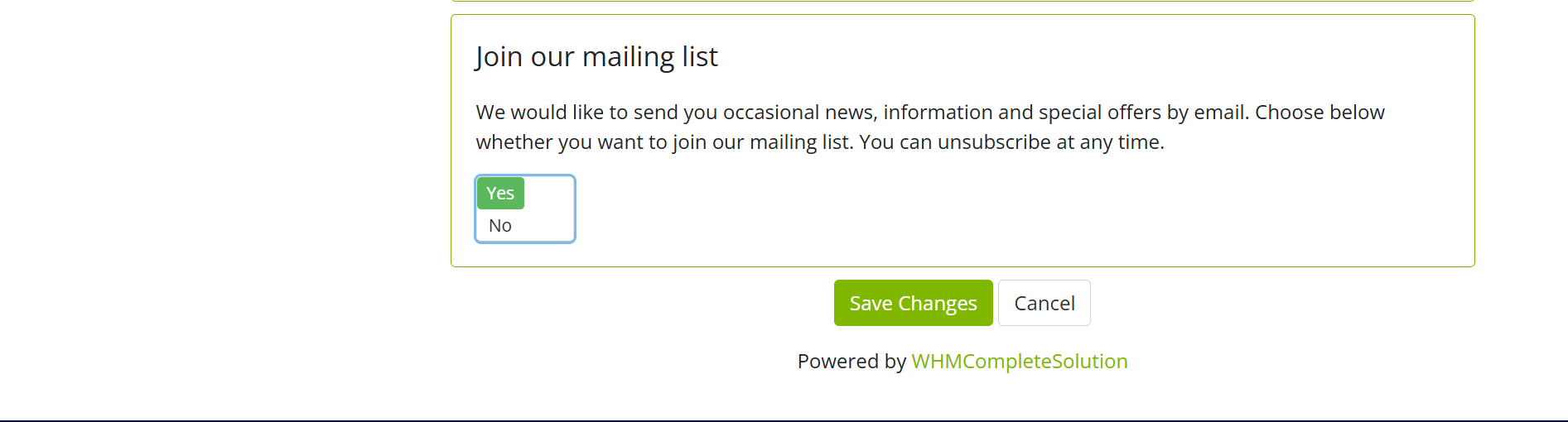
· After making the updates, click on the “Save Changes” button to apply them.
Regularly managing your Account Details in the 444Hosting client area ensures your information remains accurate and secure. By keeping your details up-to-date, you can enjoy uninterrupted communication and seamless access to your hosting services, helping you stay in control of your account.