This guide will help you understand how to view and manage your products and services efficiently. Whether you’re checking the status of a service, placing a new order, or exploring addons, this section is your go-to for managing everything in one place.
- Log in to your account at 444Hosting Client Area.
- You can find the Services Section on the Dashboard.
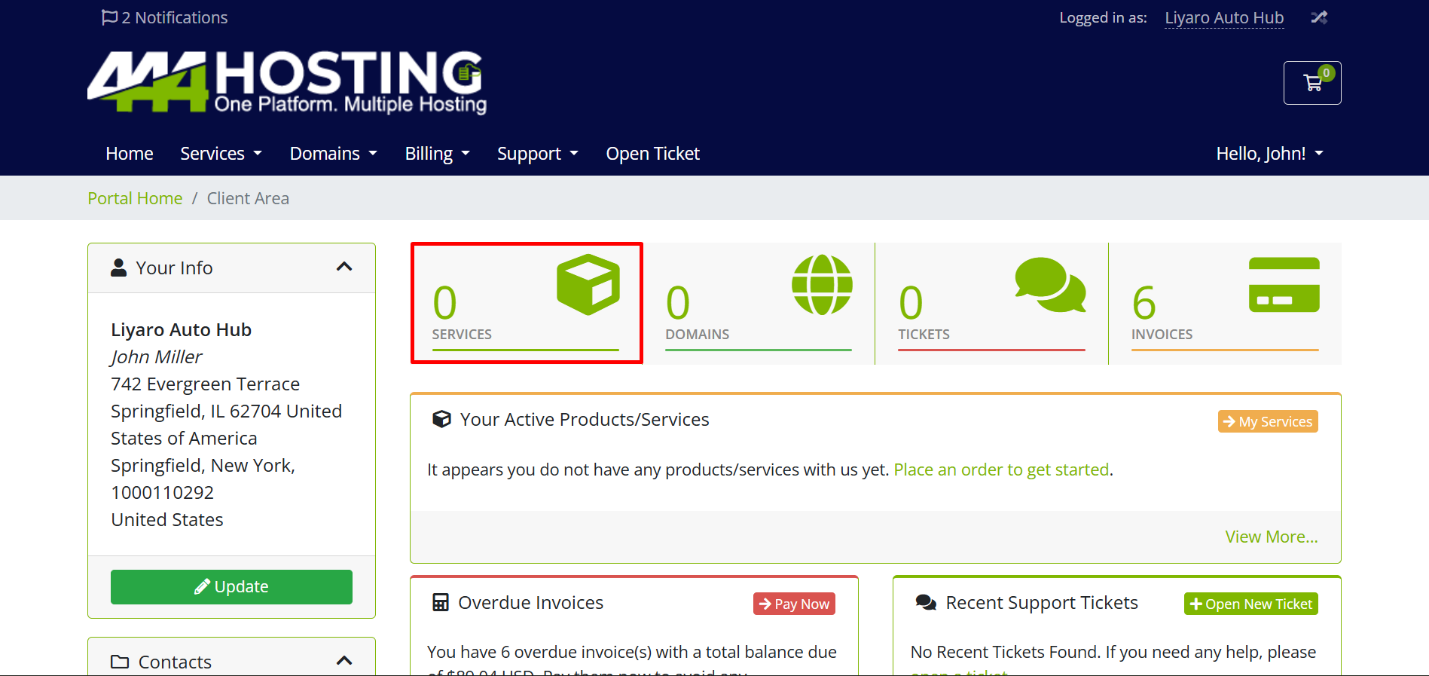
Overview of Products & Services
- At view section you can see all your current services.
- Status Categories:
-
- Active: Services that are currently active and available for use.
- Pending: Services that are waiting to be activated.
- Suspended: Services that are temporarily disabled due to non-payment or other reasons.
- Terminated: Services that have been permanently ended.
- Cancelled: Services that you or the provider have canceled.
Actions
- Place a New Order: Click here to purchase new products or services.
- View Available Addons: Explore any addons that can enhance your current services.
- Reviews: Read reviews from other clients or leave feedback on your own experience.
Service Details
- Product/Service: This shows the list of all your purchased services.
- Pricing: The cost of each service you have purchased.
- Next Due Date: The date when your next payment is due for each service.
- Status: Displays the current status of each service (e.g., Active, Pending, Suspended).
Pagination and Entries
- Pagination Controls: If you have multiple services, use the “Previous” and “Next” buttons to navigate through the pages.
- Show Entries: You can choose how many services to display per page (e.g., 10, 20, 50 or All entries).
No Records Found
- If you see “No Records Found,” it means you currently have no services listed in your account. To start, click “Place a New Order” and explore the available services.
Managing your services in the client area is simple and convenient. With just a few clicks, you can check the status of your services, place new orders, and explore addons. If you ever need help, our support team is always ready to assist you.