- Login to cPanel
- Locate MultiPHP INI Editor
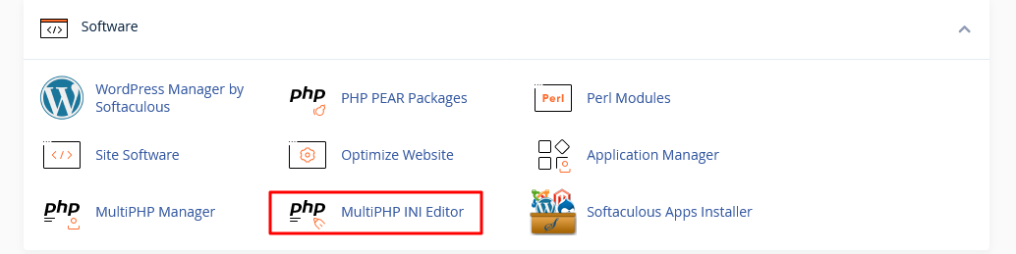
There are two types of MultiPHP INI editor.
- Basic mode
- Editor mode

Basic mode
- First the drop-down, select the home directory or a domain’s document root and open the corresponding PHP configuration.
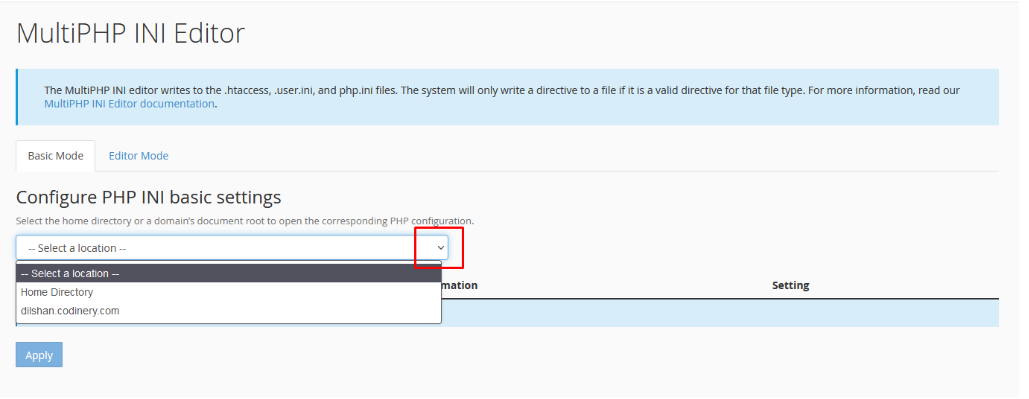
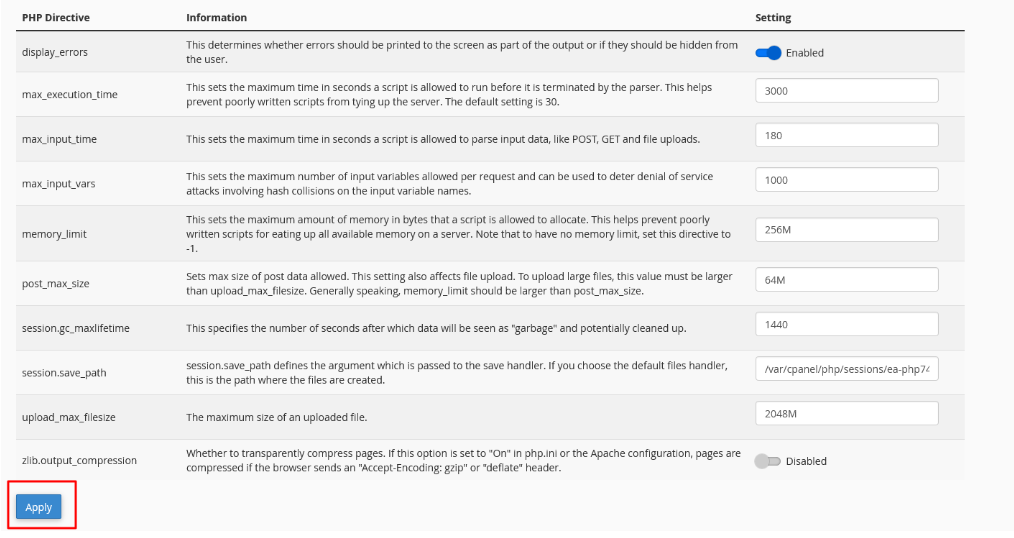
There are several variables that make fundamental changes to the basic model.
- max_execution_time
- max_input_vars
- memory_limit
- upload_max_filesize
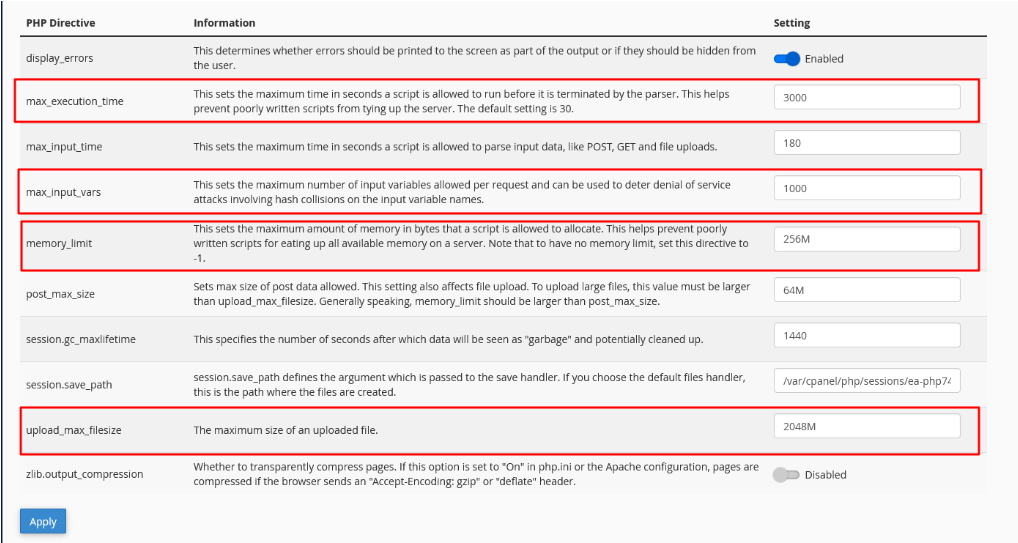
- After making the changes, select the Apply button.
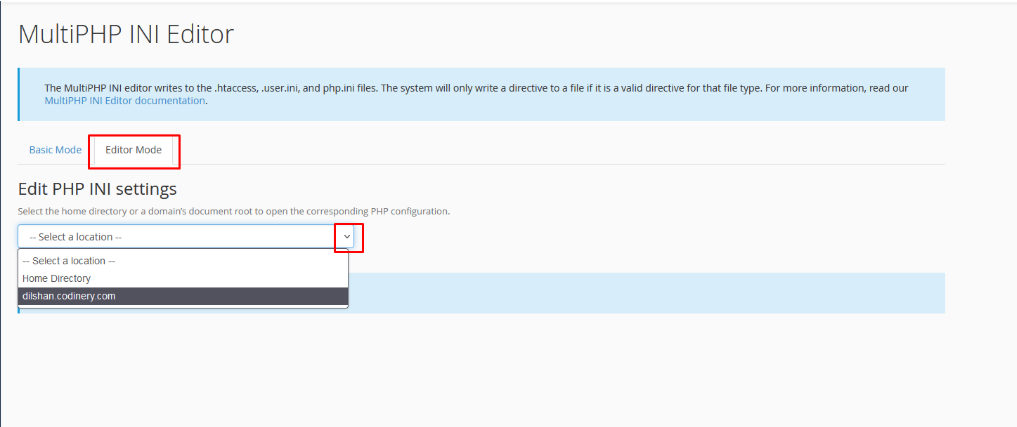
Editor mode
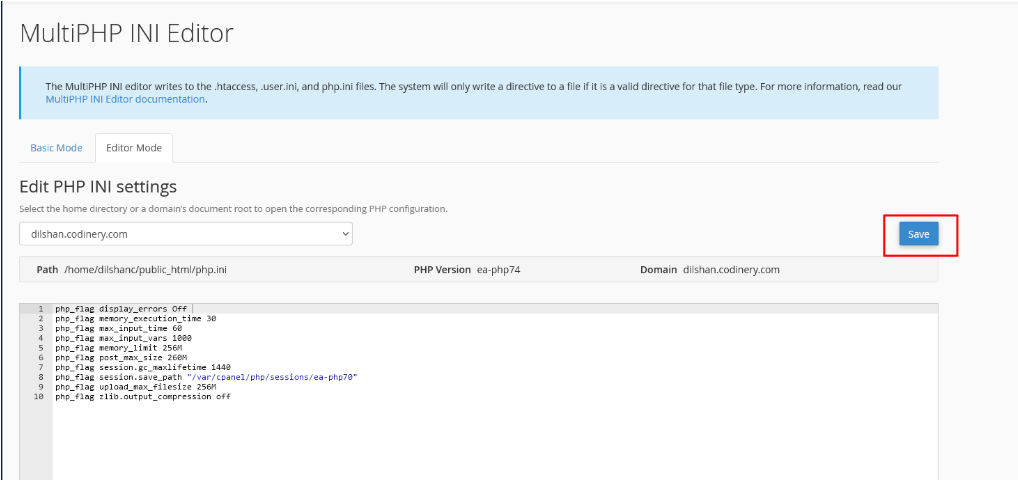
- First the drop-down, select the home directory or a domain’s document root and open the corresponding PHP configuration.
- In the Search text field, type the PHP setting you are looking to update.
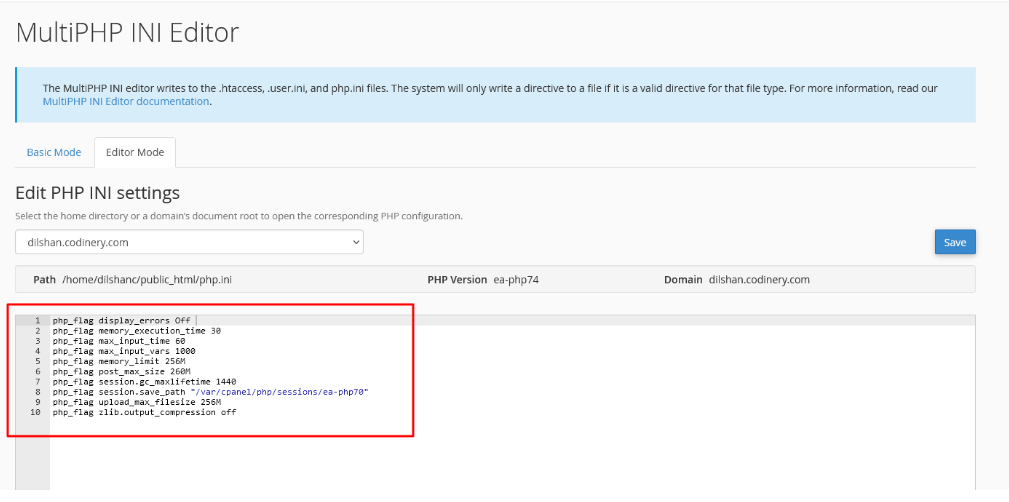
- When the change is complete, select the Save button.