Managing your invoices efficiently is crucial for staying on top of your payments. Here’s a step-by-step guide to help you navigate the Invoices section of your client area:
Step 1: Log in to Your Client Area.
1. Open your web browser and go to 444HOSTING Client Area.
2. Enter your login credentials and click Login.
Step 2: Access the Invoice Section.
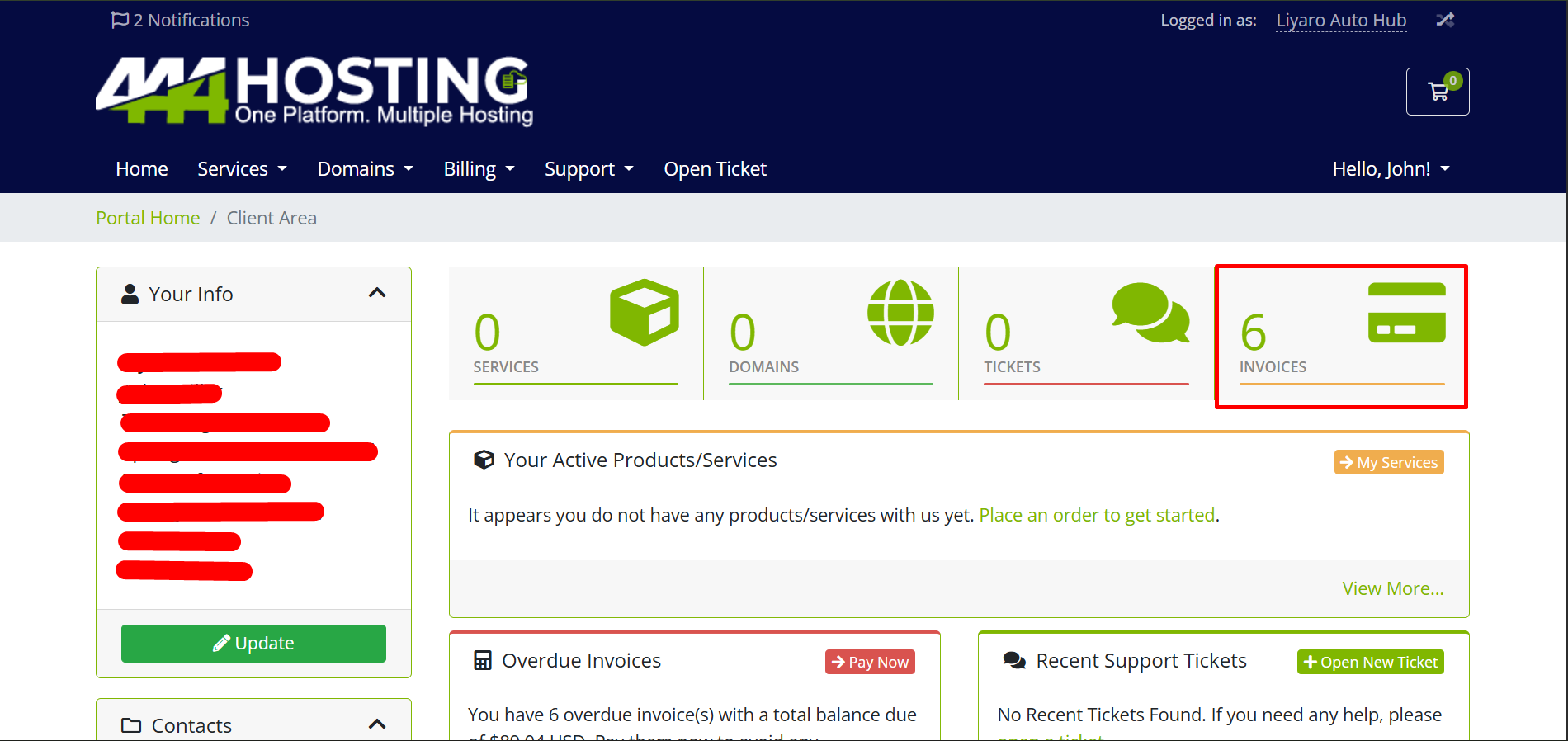
1. Once logged in, navigate to the Billing section in the main menu.
2. Click on My Invoices to view your invoice list.
Step 3: Understand Your Invoice Status.
In the Invoices section, you will see a table with the following columns.
- Invoice #: The unique identification number for each invoice.
- Invoice Date: The date the invoice was generated.
- Due Date: The deadline by which the payment should be made.
- Total: The total amount due for that invoice.
- Status: This will show whether the invoice is Paid, Unpaid, Cancelled, or Refunded.
Step 4: Viewing and Paying Invoices
- Viewing Invoices: Click on the Invoice # to view the detailed breakdown of the invoice.
- Paying Invoices: If you have any unpaid invoices, you can click on the Pay Now button next to the invoice to make a payment.
Step 5: Managing Your Invoices
- If no records are found, this means there are currently no invoices to manage.
- You can also use the navigation buttons like Previous and Next to browse through multiple pages of invoices if you have a large billing history.
Step 6: Additional Billing Options
- My Quotes: View any quotes provided by the company for services.
- Mass Payment: Paying many invoices at once in one single payment, instead of paying them one by one.
This simple guide helps you efficiently manage your invoices within the client area. Always check your invoice status regularly to ensure you stay up-to-date with your payments.